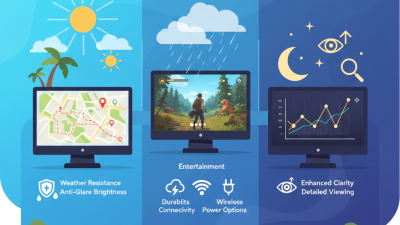
Choosing the right digital signage display is not simply a matter of selecting the largest screen. It requires matching hardware to location, audience, content, and operating conditions. A bright outdoor LED wall faces rain, heat, and direct sunlight. A compact lobby screen needs sharp text, quiet operation, and simple scheduling. A restaurant menu board demands fast updates and consistent color. Small details matter.
Digital signage consultant Lyle Bunn is often credited with saying, “Digital signage is a medium, not a technology.” That perspective changes the buying decision. The screen is only one part of the communication system. Content quality, mounting position, viewing distance, connectivity, maintenance, and software support can determine whether an installation succeeds. A premium panel cannot rescue unclear messaging.
This guide examines ten types of digital signage displays worth considering, from commercial LCD screens and video walls to interactive kiosks, transparent displays, and outdoor LED solutions. Each category serves a different purpose. Some prioritize affordability. Others deliver visibility across large spaces. A few create impressive experiences but require higher budgets and more careful installation. There is no universal winner.
Real-world performance can be imperfect. Glare may weaken an attractive screen. Touch features may confuse visitors. Remote updates can fail during network interruptions. Those risks deserve honest attention before purchase. By comparing display technologies, brightness levels, durability, viewing angles, and management options, buyers can choose more confidently and avoid paying for features they may never use.
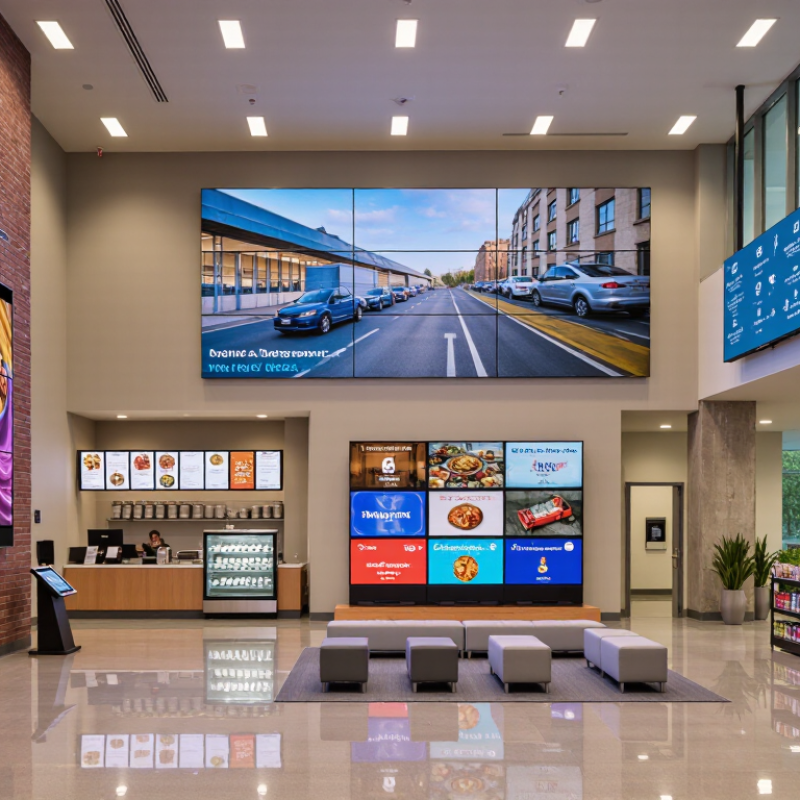
Digital signage displays are electronic screens used to deliver changing information in public or commercial spaces. They may show announcements, directions, menus, advertisements, schedules, or emergency messages. Unlike printed posters, these displays can update content remotely within seconds.
The screen receives content from a media player, network platform, or built-in operating system. That system stores images, videos, text, and playback rules. The display then converts digital signals into visible light through pixels. Common types include LCD panels, LED walls, interactive kiosks, outdoor high-brightness screens, video walls, transparent displays, e-paper signs, menu boards, shelf displays, and projection systems.
Each type suits a different environment. An LCD panel works well near a reception desk, while an LED wall remains visible across a large hall. Outdoor screens need weather protection and brightness control. Interactive kiosks require touch sensors, stronger glass, and accessible software. E-paper uses little power, but it changes more slowly and usually lacks vivid motion.
Installation details matter. Measure viewing distance, ambient light, wall strength, ventilation, and power access before buying. Content should use readable fonts and strong contrast. Small text fails quickly in busy corridors. A brighter screen is not always better; it can cause glare and waste energy. In practice, the first setup is rarely perfect. Test the display at different times of day, review real viewer behavior, and adjust the content schedule when evidence disagrees with the original plan.
| Display Type | Typical Screen Size | Primary Environment | Typical Brightness | Touch Support | How It Works | Best Uses and Key Considerations |
|---|---|---|---|---|---|---|
| Commercial Flat-Panel Display | 32–86 inches | Indoor | 350–700 nits | Optional | Uses an LCD or LED-backlit panel connected to a media player or built-in system-on-chip platform to show scheduled images, videos, menus, and web content. | Suitable for retail, offices, education, hospitality, and reception areas. Look for commercial-grade cooling, extended operating hours, remote management, and landscape or portrait support. |
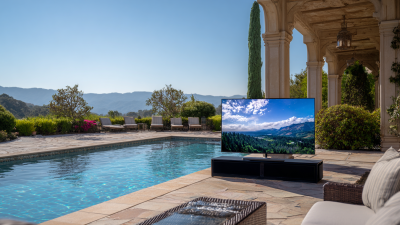
| Outdoor High-Brightness Display | 43–86 inches | Outdoor | 2,500–5,000+ nits | Usually optional | Combines a high-brightness panel with protective sealing, temperature control, anti-glare glass, and sensors that can adjust brightness according to ambient light. | Designed for drive-throughs, transport areas, outdoor entrances, and storefronts. Weather protection, vandal resistance, heat management, and readability in direct sunlight are essential. |
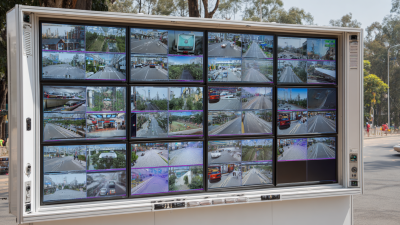
| Video Wall Display | 46–98 inches per panel | Indoor or Outdoor | 500–2,500 nits | Optional | Several narrow-bezel displays are arranged as a single canvas and synchronized by a video wall controller or integrated processing system. | Effective for command centers, large retail spaces, event venues, and transportation hubs. Installation requires precise alignment, suitable mounting, signal distribution, and planned maintenance access. |
| Interactive Touchscreen Kiosk | 15–55 inches | Indoor or Covered Outdoor | 300–1,500 nits | Built-in | A touch layer detects user input and sends commands to an embedded computer or media player, which responds with menus, forms, maps, or product information. | Useful for self-service ordering, wayfinding, check-in, directories, and product exploration. Consider accessibility, screen height, protective glass, cleaning requirements, and software security. |
| Digital Menu Board | 32–55 inches | Indoor or Drive-Through | 350–3,000 nits | Rarely required | A networked display receives menu layouts and pricing from a content management system, allowing content to be updated centrally across multiple screens. | Best for restaurants, cafeterias, food courts, and concession areas. Prioritize high uptime, fast content updates, easy-to-read typography, glare control, and compatibility with point-of-sale workflows. |
| LED Video Wall | From small panels to building-scale installations | Indoor or Outdoor | 800–8,000+ nits | Usually optional | Thousands of light-emitting diodes form modular pixel panels. A controller maps video signals across the panels to create one large, bright image. | Ideal for stadiums, concerts, billboards, building façades, and large atriums. Pixel pitch, viewing distance, weather rating, heat dissipation, power capacity, and service access affect the design and cost. |
| Transparent LED Display | Custom sizes; commonly 1–10 m² | Indoor or Window-Facing | 2,000–6,000 nits | Not typical | LED strips or grids emit light while leaving open space between pixels, allowing viewers to see through the display when it is installed over glass or within a structure. | Suitable for retail windows, museums, showrooms, and architectural installations. Transparency, viewing angle, pixel pitch, ambient light, installation structure, and content contrast should be evaluated. |
| E-Paper or Electronic Shelf Label Display | 1.5–13.3 inches; larger formats available | Indoor | Reflective; no backlight required | Limited or optional | Microcapsules containing charged pigment particles move when an electric field is applied, creating a stable image that uses power mainly when the content changes. | Well suited to price labels, shelf information, room signs, and low-power notices. It offers excellent readability in ambient light but generally has slower refresh rates and limited video capability. |
| Projection-Based Digital Signage | 40–300+ inches | Indoor or Controlled Outdoor | Measured in projector lumens | Optional | A projector casts an image onto a wall, screen, floor, façade, or shaped surface. A media server or player supplies the visual content and can support projection mapping. | Useful for exhibitions, themed environments, events, and large-format storytelling. Ambient light, throw distance, surface quality, alignment, lamp or laser life, and maintenance must be considered. |
| Digital Totem or Freestanding Display | 43–86 inches | Indoor or Outdoor | 350–3,000 nits | Optional | A vertically mounted display combines a screen, enclosure, media player, speakers, and sometimes a touch interface in a self-supporting floor unit. | Suitable for malls, airports, hotels, campuses, showrooms, and public information areas. Check stability, accessibility, cable management, ventilation, enclosure durability, and portrait content support. |