Industrial computers rarely fail in clean, comfortable rooms. They sit near washdown lines, dusty conveyors, outdoor cabinets, and vibrating machinery. One loose gland can let moisture reach a processor, power supply, or network port. A waterproof computer enclosure can reduce that exposure, but the label alone proves little. Check the complete assembly.
The Uptime Institute’s 2024 Global Data Center Survey found that 54% of respondents said their most recent significant outage cost more than $100,000. That finding concerns data centers, not enclosure failures specifically. Still, it shows why protecting critical computing equipment deserves careful planning. For ingress protection, IEC 60529 defines the IP code used to describe protection against solids and water. An IP rating is useful, but installation details matter. Cable entries, door seals, cooling, and mounting can change real-world performance. Small details count.
This guide compares seven waterproof computer enclosures for 2026, focusing on protection ratings, construction, thermal management, access, and installation needs. It also considers practical trade-offs: a sealed box may trap heat, while added cooling can create new entry points. No enclosure suits every site. Match the design to the actual exposure, then verify the manufacturer’s documentation and test conditions. Some specifications still leave questions. That is worth admitting before purchase, not after a failure.
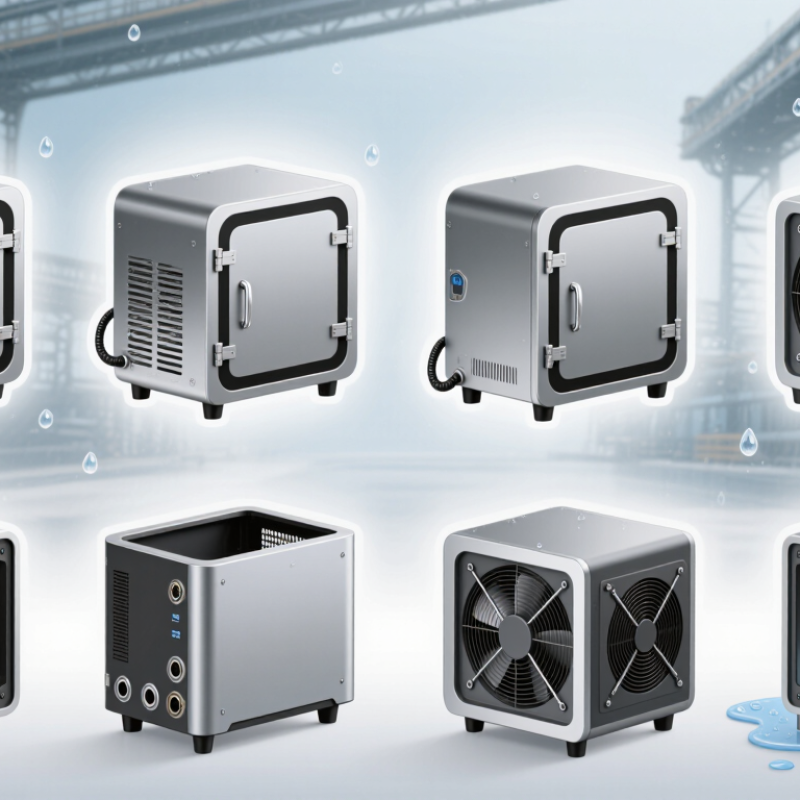
7 Best Waterproof Computer Enclosures for 2026?
What Waterproof Computer Enclosures Protect Against
A waterproof computer enclosure helps keep rain, splashes, and airborne moisture away from sensitive electronics. Depending on its tested protection rating, it may also block dust and resist water jets. That matters near damp production floors, outdoor kiosks, or equipment washed down during routine cleaning. Water still gets in. A poorly seated cable gland or worn gasket can create a path for moisture, even when the enclosure itself is well made.
Protection has limits. “Waterproof” does not always mean safe for submersion or high-pressure cleaning. Check the enclosure’s rating and confirm it applies to the installed doors, vents, connectors, and cable entries. Heat is another concern: sealed cases can trap warmth from processors, while temperature changes may encourage condensation inside. A clear panel can show a fogging problem, but it cannot prevent one. In practice, enclosure choice also depends on the computer’s heat output and the conditions around it.
Tips: Inspect seals and cable fittings regularly, especially after maintenance. Look for cracked gaskets, loose fasteners, or droplets near connectors. Match the enclosure’s rating to the actual exposure, not the harshest-sounding product description. It’s easy to overlook ventilation. Don’t.
| Enclosure Type | Typical IP Rating to Look For | Protection Provided | Suitable Applications | Key Consideration |
|---|---|---|---|---|
| Sealed polycarbonate enclosure | IP65 or IP66 | IP6X indicates dust-tight construction. IPX5 protects against water jets; IPX6 is tested against more powerful water jets. | Control computers and compact electronics in dusty areas or locations exposed to washdown spray. | Check the rating with the installed lid, seals, cable entries, and accessories—not just the empty enclosure. |
| Stainless-steel washdown enclosure | IP66; IP69 where specified | IP66 provides dust-tight protection and protection against powerful water jets. IP69-rated designs are tested for high-pressure, high-temperature water jets. | Food-processing, pharmaceutical, and other environments where frequent equipment cleaning is required. | IP69 is a distinct test rating; confirm the required cleaning method and chemical compatibility with the enclosure manufacturer. |
| Immersion-resistant enclosure | IP67 or IP68 | IP67 covers temporary immersion under specified test conditions, including up to 1 m for 30 minutes. IP68 uses immersion conditions specified by the manufacturer. | Equipment at risk of temporary flooding, accidental submersion, or installation in wet locations. | IP68 does not have one universal depth or duration. Verify the exact tested limits and whether the enclosure may be submerged while operating. |
| Outdoor aluminum enclosure | IP65 or IP66 | When properly sealed and tested, it can keep out dust and resist water jets, depending on its certified rating. | Outdoor networking, monitoring, and computing equipment exposed to rain, dust, or spray. | Plan for corrosion protection, sun exposure, condensation, and heat dissipation; aluminum construction alone does not establish an IP rating. |
| Vented enclosure with a rated membrane vent | IP54 to IP66, as certified | A suitable vent can help equalize pressure and reduce condensation while maintaining the protection level stated for the complete assembly. | Outdoor or industrial electronics that need pressure equalization without an open ventilation hole. | The vent must be installed correctly and included in the enclosure’s rating. A vent does not automatically make an enclosure waterproof. |
| Sealed enclosure with a closed-loop heat exchanger | IP54 to IP66, as certified | Can provide a sealed enclosure design while transferring heat through a heat exchanger; protection depends on the tested assembled system. | Higher-heat computers in dusty or wet settings where open-air fan ventilation is unsuitable. | Confirm cooling capacity, ambient-temperature limits, maintenance requirements, and the rating of the complete enclosure-and-cooler assembly. |
| Compact sealed ABS enclosure | IP65 or IP67 | Depending on its tested design, it can provide dust-tight protection and resistance to water jets or temporary immersion. | Small embedded computers, sensors, and low-power electronics in compact installations. | Check operating-temperature limits, UV suitability, material compatibility, and cable-entry sealing for the intended environment. |
Selection note: IP ratings are defined by IEC 60529. The rating applies to the tested configuration, so doors, gaskets, cable glands, connectors, vents, and cooling equipment can affect protection. Match the rating and test conditions to the actual exposure; no enclosure type is waterproof by material alone.