Top 10 PC Monitors for Every Need and Budget?
Choosing the right PC monitor can significantly enhance your computing experience. With many options available, it’s easy to feel overwhelmed. You may need a monitor for gaming, professional work, or casual use. Each purpose demands specific features and capabilities.
To cater to diverse requirements and budgets, we present the top 10 PC monitors on the market. These selections are based on expert evaluations and user experiences. We consider factors like display quality, size, refresh rate, and price. In a world where technology evolves rapidly, staying updated is crucial.
Reflecting on your needs is vital. Look beyond just specs; think about what suits your daily tasks. Not all monitors deliver the same performance. Some may fall short of expectations. It’s worth investing time to find the best fit for you. Let's explore the options that could elevate your experience.
Overview of PC Monitor Types and Their Uses
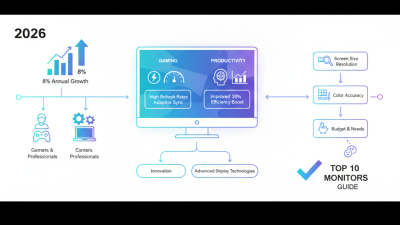
When choosing a PC monitor, understanding the types available is essential. Each monitor type serves specific needs. For casual use, such as browsing or streaming, a standard LED monitor offers simplicity and cost-effectiveness. These monitors provide decent color accuracy and brightness, making them a solid choice for everyday tasks.
For professionals, an IPS display is often the go-to option. It provides better color reproduction and viewing angles. Graphic designers and photographers may find this essential for their work. However, it's worth noting that IPS monitors can be pricier and may not suit everyone’s budget.
Gamers might prefer high-refresh-rate monitors. They offer smooth gameplay and quick responsiveness, ideal for action-packed games. But these monitors often come with higher input lag and can drain your budget quickly. Choosing a monitor requires weighing your specific needs against your budget, which can sometimes feel overwhelming. It’s crucial to find the balance that works for you.
Factors to Consider When Choosing a Monitor
When choosing a PC monitor, several key factors come into play. Screen size and resolution typically top the list. According to a recent industry report, 27-inch monitors with 1440p resolution are especially popular for both gaming and professional work. The balance between size and pixel density significantly impacts your viewing experience.
Refresh rate and response time are crucial for gamers. A monitor with a refresh rate of at least 144Hz offers smoother visuals. Data from gaming industry studies shows that a low response time under 5ms reduces motion blur in fast-paced games, enhancing overall performance.
Consider ergonomics. Adjustable stands can help minimize neck and eye strain. Also, look for features like blue light filters to protect your eyes during extended use. Many users overlook this, but investing in ergonomic solutions increases comfort and productivity over time.
When curating your options, don't rush. Take the time to compare specifications and read reviews. Balancing performance with your budget may not always yield the perfect monitor, but it can help you make an informed decision. Even if a monitor looks great on paper, personal comfort and usability should always be prioritized.
Top Picks for Budget-Friendly Monitors
When looking for budget-friendly monitors, it's crucial to understand the current market dynamics. According to recent industry reports, nearly 60% of consumers prioritize affordability without compromising performance. This trend has driven manufacturers to create models that cater to quality and cost. Many options now offer decent resolution and refresh rates, making them ideal for home use, gaming, or professional tasks.
For example, models with 1080p resolution and refresh rates of 75Hz can be found under $150. These monitors are suitable for basic computing tasks and casual gaming. User reviews indicate that picture quality remains high, even at lower price points. However, buyers should remain cautious. Some budget monitors may skimp on build quality or color accuracy. Always verify specifications and user feedback before purchase.
Another point to consider is the warranty and customer service. Research shows that monitors in this price range often have limited support. A monitor might perform well initially but could encounter issues down the line. Understanding these facets helps consumers make informed decisions. While affordability is essential, balancing it with reliability ensures that your investment serves you well over time.
Best Monitors for Gaming Performance
Choosing the right monitor for gaming can significantly impact your experience. A 2022 report from the IDC states that gamers demand high refresh rates and low response times. These metrics are crucial for competitive play. A monitor with a 144Hz refresh rate can provide smoother gameplay, which is essential for fast-paced titles. Meanwhile, a response time under 5ms helps eliminate motion blur, increasing clarity during critical moments.
Resolution is another key factor. A 2023 survey by Statista shows that over 60% of gamers prefer 1080p or higher resolution. Paying attention to pixel density can enhance immersion. For example, a 27-inch monitor with a 1440p resolution offers sharp visuals while maintaining performance. However, achieving high frame rates at these resolutions often requires powerful hardware.
Many gamers often overlook ergonomics. Extended sessions can lead to discomfort. Features like adjustable stands or blue light filters can improve long-term usability. Yet, not all monitors include these options, leaving gamers with potential fatigue. It's important to weigh these factors against personal preferences and budget. The ideal gaming monitor balances performance, comfort, and aesthetic appeal while accommodating individual needs.
Ideal Monitors for Professional Workstations
Choosing the right monitor for professional workstations is vital. A well-suited monitor can enhance productivity and reduce eye strain during long hours of work. Look for a monitor that offers high resolution, ideally 4K, to provide crisp visuals. This is especially important for graphic design, video editing, and other visual tasks. An IPS panel is recommended for better color accuracy and wider viewing angles.
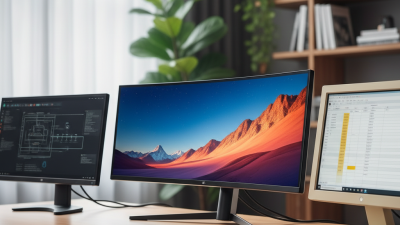
When considering size, a 27-inch monitor typically strikes a good balance between screen real estate and desk space. Multiple monitors can also increase efficiency. They allow for easier multitasking, enabling you to have multiple applications open. This setup can sometimes feel cluttered, so it’s essential to organize your workspace.
Tips for selecting monitors include checking for ergonomic features. Adjustable stands can prevent strain on your neck and back. Blue light filters are also valuable for reducing eye fatigue. Read user reviews for insights into reliability and performance. Trustworthy sources can guide you toward models that fit your needs. Testing a monitor in-store can help gauge its visual quality and adjustability before making a purchase.
Top 10 PC Monitors for Every Need and Budget - Ideal Monitors for Professional Workstations
| Model |
Screen Size |
Resolution |
Refresh Rate |
Price |
Ideal For |
| Model A |
27 inches |
2560 x 1440 |
60 Hz |
$300 |
Graphic Design |
| Model B |
32 inches |
3840 x 2160 |
75 Hz |
$500 |
Video Editing |
| Model C |
24 inches |
1920 x 1080 |
144 Hz |
$200 |
Gaming |
| Model D |
34 inches |
3440 x 1440 |
100 Hz |
$700 |
Multimedia |
| Model E |
27 inches |
2560 x 1440 |
60 Hz |
$350 |
Web Development |
| Model F |
21 inches |
1920 x 1080 |
60 Hz |
$150 |
Office Work |
| Model G |
27 inches |
2560 x 1440 |
165 Hz |
$450 |
Gaming |
| Model H |
32 inches |
3840 x 2160 |
60 Hz |
$600 |
3D Modeling |
| Model I |
29 inches |
2560 x 1080 |
75 Hz |
$350 |
Productivity |
| Model J |
27 inches |
2560 x 1440 |
144 Hz |
$400 |
Creative Work |