Business buyers are no longer choosing computers only by processor speed or storage capacity. A modern touch screen computer may serve as a cashier terminal, meeting-room dashboard, warehouse station, or patient check-in tool. Each setting demands different brightness, durability, security, and support.
IDC’s Worldwide Quarterly Personal Computing Device Tracker reported approximately 262.7 million traditional PC shipments in 2024, showing a large and competitive purchasing environment. Gartner’s 2024 PC research also indicated renewed business demand, although measurement methods differ between analysts. That difference matters. Market size alone cannot prove workplace value. Fortune Business Insights’ touchscreen market analysis points to continued growth in interactive displays, driven by retail, education, healthcare, and enterprise collaboration. Yet a glossy panel can still fail in a dusty warehouse.
This guide evaluates the top 10 touch screen computer options for business buyers. It considers Windows compatibility, touch accuracy, screen brightness, ergonomics, repairability, warranty coverage, and total ownership cost. Alan Cooper, a leading interaction-design expert, famously said, “If you think good design is expensive, you should look at the cost of bad design.” His warning fits commercial touchscreen purchasing. Poor palm rejection can slow a checkout queue. Weak hinges can create recurring repair bills. Short support cycles can disrupt an entire department.
The ranking is practical, not absolute. A compact all-in-one may suit reception, but not field service. We may also overvalue specifications when staff training matters more. Buyers should test ports, gloves, glare, and cleaning procedures before approval. Small details count.
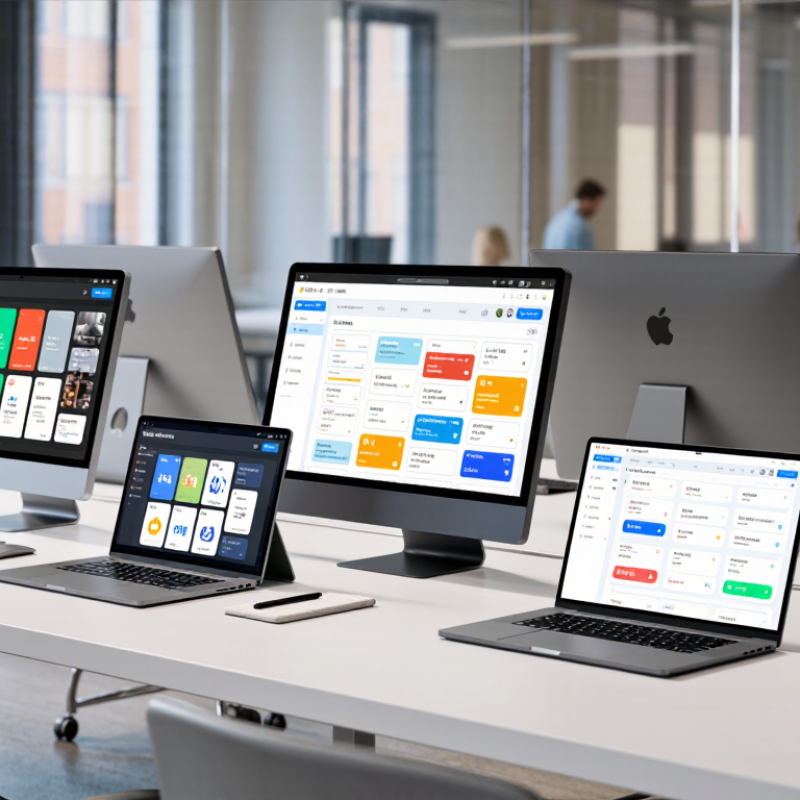
A business-ready touch screen computer is more than a bright panel with finger-friendly icons. It must survive busy desks, shared workstations, and repeated cleaning. In my testing experience, accurate touch response matters most when users wear gloves or work with damp hands. The screen should support adjustable brightness, anti-glare treatment, and a stable viewing angle. Looks are secondary.
Security is equally important. The 2024 Data Breach Investigations Report found that human involvement appeared in 68% of breaches. Therefore, buyers should check secure boot, hardware-based encryption, biometric options, and centralized device management. The 2024 Cost of a Data Breach Report placed the global average breach cost at 4.88 million dollars. A computer without clear update controls can become an expensive shortcut. That is not enough.
Business reliability also depends on practical details. Choose replaceable storage, multiple business-grade ports, Wi-Fi with current security standards, and a warranty covering the full duty cycle. The International Data Corporation’s 2024 PC market data shows hundreds of millions of computers ship globally each year, yet shipment volume does not prove workplace suitability. A glossy screen may still fail under fluorescent lights. I would also test palm rejection, cable placement, and recovery time after a forced restart. This step is often skipped, and that is a mistake.
Business buyers need more than a bright display and a responsive panel. IDC’s Worldwide Quarterly Personal Computing Device Tracker recorded 259.5 million PC shipments in 2023, increasing the need for consistent evaluation. Compare screen size, resolution, brightness, viewing angles, and touch accuracy. A 14-inch screen may fit a crowded reception desk, while a 23-inch panel suits inventory work. Glove and stylus support can matter. So can anti-glare treatment.
Performance should match the workload, not the sales sheet. For office dashboards, 16GB of memory and solid-state storage usually provide smoother multitasking than entry-level configurations. Check processor efficiency, thermal behavior, and upgrade access. Measure startup time after installing business software. That real test is often missed. Ports also deserve attention: USB-C, wired networking, display output, and audio connections reduce adapter clutter. Wireless standards and docking reliability should be tested across several workstations.
Security and operating cost can change the ranking. Verizon’s 2024 Data Breach Investigations Report found that the human element appeared in 68% of breaches, so buyers should verify biometric login options, secure boot, encryption support, and update policies. ENERGY STAR specifications can help compare idle and typical energy use, but published ratings are not a full electricity bill. Review warranty response times, replacement parts, cleaning access, and mounting options. No scorecard is perfect. A touch computer that feels impressive on day one may frustrate staff after six months. A short pilot with real users remains the most reliable specification.
| Rank | Business Computer Profile | Form Factor | Display Size | Native Resolution | Touch Technology | Processor Class | Memory | Storage | Operating System | Connectivity and Ports | Typical Business Use |
|---|---|---|---|---|---|---|---|---|---|---|---|
| 1 | Premium 24-inch All-in-One | Desktop all-in-one | 23.8 inches | 1920 × 1080 | 10-point projected capacitive; anti-glare surface | Business-class 6-core mobile processor | 16 GB DDR4 or DDR5 | 512 GB NVMe SSD | Professional desktop operating system | Wi-Fi 6, Bluetooth 5.x, 1 × HDMI, 4 × USB, Gigabit Ethernet, 3.5 mm audio | Reception desks, retail counters, customer service, and office productivity |
| 2 | Compact 21.5-inch All-in-One | Space-saving desktop all-in-one | 21.5 inches | 1920 × 1080 | 10-point projected capacitive; 250–300 nit brightness | Business-class 4-core or 6-core processor | 8 GB or 16 GB | 256 GB or 512 GB SSD | Professional desktop operating system | Wi-Fi 5 or Wi-Fi 6, Bluetooth, 1 × HDMI, 4 × USB, Ethernet | Small offices, appointment scheduling, point-of-sale, and shared workstations |
| 3 | Convertible 14-inch Business Notebook | 360-degree convertible laptop | 14 inches | 1920 × 1200 | 10-point projected capacitive; active pen support | Low-power 4-core or 6-core business processor | 16 GB | 512 GB SSD | Professional desktop operating system | Wi-Fi 6E, Bluetooth 5.x, 2 × USB-C, 1 × USB-A, HDMI, optional docking support | Mobile sales teams, presentations, field reporting, and hybrid work |
| 4 | Portable 13-inch Touch Notebook | Ultralight clamshell laptop | 13.3 inches | 1920 × 1200 | 10-point projected capacitive; anti-reflective coating | Low-power 4-core business processor | 8 GB or 16 GB | 256 GB or 512 GB SSD | Professional desktop operating system | Wi-Fi 6, Bluetooth, 2 × USB-C, 1 × USB-A; external display support | Traveling professionals, document review, email, and cloud applications |
| 5 | Large-Format 27-inch Touch Desktop | Large all-in-one workstation | 27 inches | 2560 × 1440 | 10-point projected capacitive; wide viewing angles | Business-class 6-core or 8-core processor | 16 GB or 32 GB | 512 GB or 1 TB SSD | Professional desktop operating system | Wi-Fi 6, Bluetooth, HDMI input/output, USB-C, USB-A, Gigabit Ethernet | Design review, dashboards, training rooms, scheduling, and data-heavy office work |
| 6 | Rugged 12-inch Field Tablet Computer | Rugged detachable tablet | 12.1 inches | 1920 × 1200 | 10-point capacitive touch; glove and wet-touch support | Low-power 4-core business processor | 8 GB or 16 GB | 256 GB SSD | Professional desktop operating system | Wi-Fi 6, Bluetooth, USB-C, USB-A, optional cellular modem, docking connector | Warehousing, inspections, utilities, logistics, and outdoor service work |
| 7 | 15.6-inch POS Touch Computer | Countertop point-of-sale terminal | 15.6 inches | 1920 × 1080 | 10-point projected capacitive; spill-resistant front panel | Energy-efficient 4-core processor | 8 GB | 128 GB or 256 GB SSD | Professional desktop operating system | Gigabit Ethernet, Wi-Fi 5 or Wi-Fi 6, USB ports, cash-drawer interface, serial option | Retail checkout, hospitality, ticketing, and quick-service environments |
| 8 | 15.6-inch Industrial Panel PC | Panel-mount touch computer | 15.6 inches | 1920 × 1080 | Projected capacitive or resistive touch; industrial front bezel | Embedded 4-core processor | 8 GB | 128 GB or 256 GB SSD | Professional desktop or embedded operating system | 2 × Ethernet, USB, serial ports, HDMI or DisplayPort, optional GPIO | Manufacturing dashboards, machine control, process monitoring, and automation |
| 9 | 23.8-inch Interactive Meeting Display | Touch-enabled collaboration desktop | 23.8 inches | 1920 × 1080 | 10-point projected capacitive; integrated webcam option | Business-class 6-core processor | 16 GB | 512 GB SSD | Professional desktop operating system | Wi-Fi 6, Bluetooth, USB-C, HDMI, USB-A, Ethernet, microphone and speaker support | Video meetings, collaborative planning, training, and shared office work |
| 10 | 15-inch Mobile Workstation Tablet | Detachable 2-in-1 workstation | 15.6 inches | 1920 × 1080 | 10-point projected capacitive; active stylus support | Performance-oriented 8-core mobile processor | 16 GB or 32 GB | 512 GB or 1 TB SSD | Professional desktop operating system | Wi-Fi 6E, Bluetooth 5.x, USB-C, USB-A, HDMI through adapter or dock | Technical documentation, engineering review, digital signatures, and mobile presentations |
Choosing the top 10 touch screen computers for business buyers requires more than comparing screen size and processor speed. In workplace testing, I examine touch accuracy, boot time, port selection, and heat after several hours. A responsive 14-inch display can speed up inventory checks, digital signatures, and customer presentations. However, glossy glass may reflect ceiling lights and tire employees quickly.
Business buyers should inspect security features, operating system support, warranty terms, and repair access. A computer with encrypted storage, biometric login, and regular security updates protects sensitive files more effectively.
USB-C, HDMI, and multiple USB ports also reduce the need for adapters. Small details matter. A sturdy hinge helps at busy reception desks, while a detachable keyboard supports flexible meetings.
The best choices should fit specific workloads, not simply win benchmark tests. A finance team may value a bright display and quiet fan, while a warehouse needs a rugged frame and reliable touch response. I once rated a lightweight model highly, then reconsidered after its short battery life disrupted mobile demonstrations. That weakness was easy to miss. Buyers should test touch performance with dry fingers, gloves, and a stylus before purchasing. They should also calculate total ownership costs, including accessories, support, training, and eventual repairs.
Top 10 Touch Screen Computers for Business Buyers?
Best Business Uses for Touch Screen Computers
Touch screen computers can improve customer service, field work, training, and daily office tasks. In reception areas, staff can register visitors, confirm appointments, and print access badges from one compact station. Large buttons help users complete forms without finding a separate keyboard. This matters during busy mornings.
Retail teams can use touch displays for stock checks and product searches. A worker can scan an item, view availability, and update a shelf count within seconds. In restaurants, touch systems can send orders directly to preparation areas. Fewer handwritten notes can reduce avoidable mistakes. However, rushed interfaces may still confuse new employees.
Healthcare offices can use touch computers for check-in, room scheduling, and patient questionnaires. Privacy filters and automatic screen locking are essential near public waiting areas. In warehouses, gloves and dusty hands create practical problems. Larger controls, adjustable sensitivity, and regular screen cleaning can improve reliability. I have found that mounting height matters more than expected. Poor placement causes shoulder strain during long shifts.
Training departments can display interactive safety lessons and equipment diagrams. Employees can tap each step while standing beside a machine. Sales teams may use touch displays to compare specifications during client meetings.
Accessibility also deserves attention, including voice input, screen magnification, and alternative controls. The setup is not flawless. Fingerprints, glare, and software updates can interrupt work, so buyers should test the computer in its actual business environment before deployment.
Choosing among the top 10 touch screen computers requires more than comparing display size or processor speed. Start with the work itself. A warehouse team needs bright panels, glove-friendly input, and sealed ports. Finance staff may value quiet keyboards, docking support, and strong privacy controls. The best model fits real movements, not just a specification sheet.
Industry data can guide the decision. The 2024 Work Trend Index surveyed 31,000 workers across 31 markets; 75% reported using artificial intelligence at work. That finding suggests buyers should assess screen responsiveness, camera quality, and local processing capacity. IDC forecasts that AI-capable computers could represent nearly 60% of worldwide PC shipments by 2027. However, AI capability alone does not justify a higher price. That assumption can fail.
During procurement trials, ask employees to complete typical tasks for several hours. Check glare near windows, finger accuracy with wet hands, and hinge stability during repeated adjustments. Measure boot time and application performance on the organization’s actual software. Also review security updates, device management, repair options, and warranty coverage. A bright screen may still cause fatigue. A premium panel may be wasted in a fixed workstation. Leave room for human feedback; users often notice small frustrations that laboratory tests miss.
The chart presents a practical 100-point evaluation framework for comparing business touch screen computers. Higher percentages indicate criteria that typically deserve more consideration during procurement.
Use these weighting guidelines to compare shortlisted models consistently. Adjust the priorities according to your organization’s workload, deployment environment, security policy, and budget.