7 Tips for Choosing an Industrial Monitor Enclosure?

Selecting an industrial monitor enclosure is not merely a cabinet-sizing exercise. It affects screen visibility, equipment life, maintenance time, and operator safety. The 2024 Industrial Displays Market analysis from Grand View Research identifies rising automation and harsh production environments as major demand drivers. That growth creates more choices, but also more room for costly mistakes.

A suitable enclosure must match the site, not just the monitor. Dusty packaging lines may require a sealed design. Washdown areas need careful attention to water pressure, gasket quality, drainage, and stainless-steel construction. Heat is another quiet threat. A sealed box can trap warmth around the display, power supply, and embedded computer. The Industrial Display Market report from MarketsandMarkets highlights durability, ruggedization, and environmental protection as important adoption factors. Those points sound obvious. They are still often missed.

Quality expert W. Edwards Deming said, “In God we trust; all others must bring data.” His principle fits enclosure selection. Ask for measured IP performance, operating-temperature limits, impact ratings, material specifications, and service records. IEC 60529 classifications can guide ingress protection, but an IP rating does not prove chemical resistance or thermal suitability. That distinction matters.

This guide presents seven practical tips for choosing an industrial monitor enclosure. It considers mounting, cooling, viewing angles, cable routing, cleaning routines, security, and future upgrades. A small detail, such as a poorly positioned cable gland, can undermine an otherwise excellent design. We should also admit one uncomfortable truth: no enclosure solves every site problem. A thoughtful survey remains essential.
7 Tips for Choosing an Industrial Monitor Enclosure?

Define Site Hazards Using NEMA 250 and IEC 60529 Ratings

7 Tips for Choosing an Industrial Monitor Enclosure

Define Site Hazards Using NEMA 250 and IEC 60529 Ratings

Choose an enclosure from the installation environment, not from appearance or screen size. A site walk should record dust, dripping water, washdown pressure, sunlight, oil mist, and corrosive chemicals. Note where water comes from. Rain, hose spray, condensation, and temporary immersion create different risks.

NEMA 250 ratings describe enclosure performance for conditions such as dust, water, corrosion, and outdoor exposure. IEC 60529 uses IP codes: the first digit addresses solid particles, while the second addresses water. IP65 may resist dust and water jets, but it is not automatically equal to NEMA 4X. The test methods and requirements differ. This comparison is often overlooked.

Check the full rating, not one attractive number. Confirm the enclosure material for salty air or cleaning chemicals. Inspect door gaskets, hinges, cooling methods, and cable entries. A perfect housing can fail when an unsealed connector is installed. Verify whether the display requires ventilation, and whether that changes the protection level. NEMA and IP ratings do not define every hazard. They do not replace requirements for explosive atmospheres, impact, ultraviolet exposure, or extreme temperatures. Request test documentation and installation instructions. Then review the decision with maintenance staff. Their daily experience may expose a weakness missed during design. Be cautious here. Field conditions are rarely as clean as the specification sheet.

Choose NEMA 4X or IP66 for Corrosive, Dusty, Wet Areas

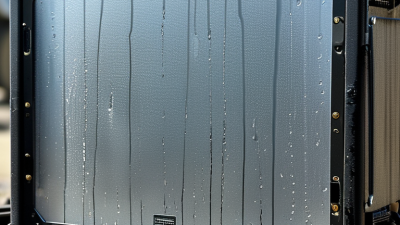
In a washdown bay, an ordinary monitor enclosure can let moisture reach connectors and damage the display. NEMA 4X and IP66 are useful ratings for dusty, wet, or corrosive areas, but they describe different test criteria. Neither rating alone guarantees suitability for every installation.

NEMA 4X covers protection against dust, rain, splashing, and hose-directed water, and includes corrosion resistance. That added corrosion consideration can matter near salt spray, cleaning chemicals, or damp production lines. IP66 indicates a dust-tight enclosure that withstands powerful water jets. It does not, by itself, specify corrosion resistance. A rating comparison chart may suggest they are interchangeable. They are not exact equivalents.

Check the complete monitor assembly, not just its outer shell. Cable glands, mounting cutouts, door seals, and touchscreen interfaces can become weak points. Ask for documentation showing which rating applies to the assembled unit and how it was tested. Then compare the test conditions with actual cleaning practices: a brief spray differs from repeated hot-water washdowns. Also consider enclosure material and chemical exposure. Small details matter. I would verify chemical compatibility rather than assume “corrosion-resistant” means resistant to every cleaner. A well-chosen rating protects equipment only when installation and maintenance preserve that protection.

Select 304 or 316 Stainless Steel for Industrial Corrosion Control

Choosing between 304 and 316 stainless steel starts with the contaminants around the enclosure. Grade 304 often suits indoor production areas, washdown zones, and locations exposed to mild moisture. It offers practical corrosion resistance at a lower material cost. But coastal air, chloride cleaners, or salty spray can leave pitting marks on 304 over time. Small details matter.

Grade 316 contains molybdenum, which improves resistance to chlorides and many corrosive environments. Consider it for food-processing rooms using salt-based cleaning agents, marine-facing equipment, or outdoor installations near the coast. It is not corrosion-proof, though. Concentrated chemicals, trapped moisture, and damaged surfaces can still cause problems. Check the cleaner’s chemical data and the enclosure supplier’s material specifications before deciding.

Look closely at joints, fasteners, hinges, and cable-entry points, not just the main panels. A 316 enclosure fitted with less resistant hardware may corrode first at those connections. In field inspections, residue often collects around door seams and mounting brackets; regular cleaning and drainage can help. The right grade depends on exposure, maintenance, and budget. I would avoid choosing by grade alone: a rough weld or poorly sealed opening can undermine an otherwise sensible material choice.

Verify VESA Fit, Cable Bend Radius, and Internal Heat Load

7 Tips for Choosing an Industrial Monitor Enclosure

Start with the VESA pattern, not the enclosure’s outer dimensions. Check the monitor’s hole spacing, screw size, and permitted screw depth against the mounting plate. A screw that is too long can damage the display; one that is too short may not hold securely. Confirm the enclosure also supports the monitor’s weight and leaves room for its bezel and controls. Measure twice. A drawing can look generous until the cables are installed.

Next, plan the cable route using the cable maker’s minimum bend-radius specification. Measure the radius at the cable’s thickest point, then allow extra space for connectors and movement. A tight turn behind a sealed gland can strain conductors or pull on a port. Add a strain-relief point where practical, and check that the door or cover will not pinch the cable when closed. This detail is easy to overlook.

Finally, estimate the internal heat load from the display and any other powered equipment. Compare that load with the enclosure’s heat-dissipation capacity at the expected ambient temperature; a sealed box can run hotter than the workshop around it. Leave airflow paths unobstructed, and consider a temperature check under realistic operating conditions. A small test is useful. If temperatures approach component limits, revise the layout or cooling plan before installation. I’d still recheck after the first full shift.

7 Tips for Choosing an Industrial Monitor Enclosure: Verify VESA Fit, Cable Bend Radius, and Internal Heat Load
Tip What to Verify Practical Check Why It Matters
1. Match the VESA mounting pattern Confirm the display’s hole spacing, such as 75 × 75 mm, 100 × 100 mm, or another pattern stated in its documentation. Check the enclosure drawing against the display’s VESA pattern, screw size, thread engagement, and permitted screw depth. Do not assume all displays use the same screws. A matching pattern and correct fasteners help prevent misalignment, damaged threads, or interference with internal parts.
2. Allow for the complete display envelope Compare the enclosure’s usable internal dimensions with the display’s width, height, depth, bezel, and rear protrusions. Include space for mounting hardware, ventilation paths, connectors, and any required service access—not just the visible screen area. A display can fit through the opening yet still collide with the enclosure back, door, or internal components.
3. Check cable bend radius and routing Use the cable manufacturer’s minimum bend-radius specification, which may differ for fixed and repeatedly flexed cables. Measure the clearance behind each connector and along the planned cable route. Account for strain relief, cable glands, and door movement. Tight bends or tension at a connector can damage conductors, impair signal quality, or make the door difficult to close.
4. Estimate the internal heat load Add the heat dissipated inside the enclosure by the display and other installed equipment, using manufacturer data where available. Evaluate the total load at the highest expected ambient temperature and compare it with the enclosure’s thermal performance or a validated thermal calculation. A sealed enclosure can trap heat. Excess temperature may shorten component life or exceed the display’s operating limits.
5. Select an appropriate ingress-protection level Identify the actual exposure to dust, water, washdown, oils, or other contaminants and select a suitable enclosure rating. Check that the stated rating applies to the complete assembled enclosure, including the door, seals, cable entries, and installed accessories. An enclosure rating can be compromised by unsealed openings or components that are not rated for the same environment.
6. Confirm mounting strength and orientation Check the enclosure’s load rating, support structure, mounting points, and any limits for wall, pendant, or arm mounting. Include the combined mass of the enclosure, display, and accessories. Verify allowable orientation and account for vibration or impact where relevant. A suitable mounting arrangement helps prevent excessive deflection, loosened fasteners, or damage under operating conditions.
7. Plan access, cleaning, and maintenance Review door swing, latch access, screen cleaning clearance, filter or fan service, and access to connectors and adjustment points. Check the installation location for nearby walls, machinery, and walkways. Confirm that routine service can be performed without straining cables. Good service access reduces maintenance time and helps avoid accidental damage during cleaning or repairs.

Specify IK10 Impact Resistance, Rated at 20 J Under IEC 62262

Industrial monitor enclosures must survive more than dust and vibration. The International Federation of Robotics reported 553,052 industrial robots were installed worldwide in 2022. More automated cells mean more cables, tools, and moving equipment near display panels. Specify IK10 when accidental impact is credible.

IEC 62262 rates IK10 at 20 joules of impact energy. The test typically uses a 5-kilogram pendulum or equivalent impact at a 400-millimeter height. IEC 60068-2-75 defines related impact-testing methods. Ask for the test report, not only a catalogue claim. Confirm the rating applies to the complete enclosure, including the viewing window, hinges, locks, and cable entries. One weak component can compromise the whole assembly.

Check the mounting surface.

A steel body may achieve IK10, while a thin polycarbonate window does not. Review temperature, corrosion, washdown exposure, and internal heat from the monitor. IP protection is separate from impact protection; an IP65 enclosure is not automatically IK10. In field inspections, installers sometimes overlook door alignment after repeated maintenance. That detail matters. Require production samples or independent laboratory evidence when downtime is expensive. A practical specification should state “IK10, 20 J, tested to IEC 62262,” plus the intended installation orientation and window material. Mistakes remain possible, especially when different suppliers interpret “impact resistant” differently.

7 Tips for Choosing an Industrial Monitor Enclosure: Specify IK10 Impact Resistance

IEC 62262 defines IK impact-resistance ratings by the impact energy an enclosure can withstand. IK10 is the highest commonly specified rating and is tested at 20 joules, making it a suitable requirement for industrial monitor enclosures exposed to severe mechanical impact risks.

Impact-energy values are specified in IEC 62262 and shown in joules.