7 Essential Tips for Choosing the Perfect Touchscreen Monitor for Your PC
In an increasingly digital world, the demand for versatile and interactive displays has surged, making the
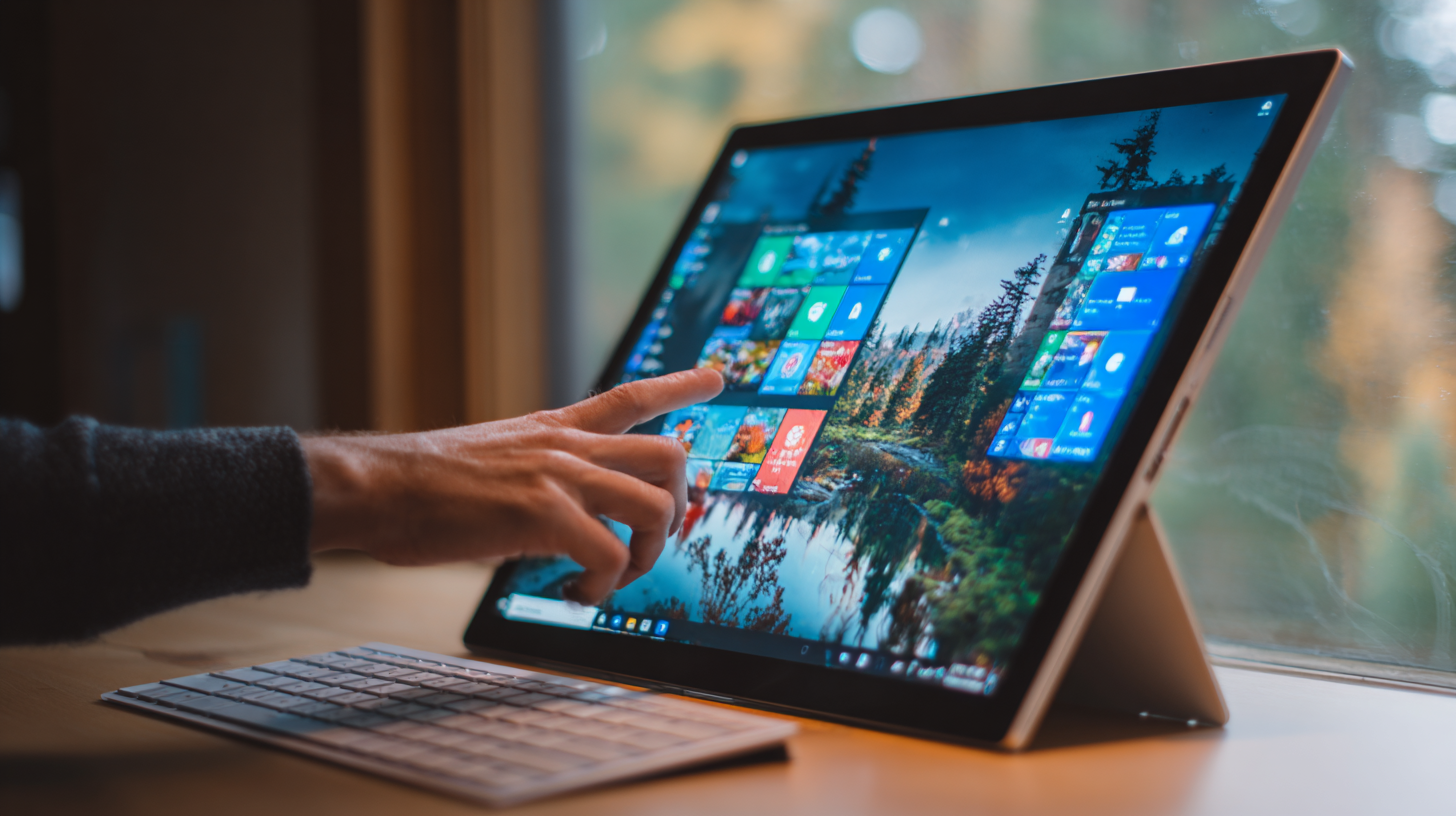
touchscreen monitor for PC an essential tool for both productivity
and entertainment. These monitors offer a seamless and intuitive user experience, allowing users to
navigate their systems with simple taps and swipes. However, with the vast array of options available
on the market, choosing the right touchscreen monitor for your PC can be a daunting task.
To simplify the decision-making process, we've compiled seven essential tips to guide you in
selecting the perfect touchscreen monitor that aligns with your specific needs and preferences. From
understanding different display technologies to assessing ergonomics and connectivity options, this guide
will equip you with the knowledge to make an informed choice. Whether you're a creative professional
seeking enhanced precision or a casual user looking to upgrade your setup, these tips will help you
identify the ideal touchscreen monitor for PC that enhances your computing experience and meets your
everyday demands.
Understanding Touchscreen Technology: Capacitive vs. Resistive Displays
When selecting a touchscreen monitor for your PC, understanding the differences between capacitive and resistive displays is crucial for optimal performance. Capacitive displays, which are prevalent in smartphones and tablets, utilize the electrical properties of the human body to detect touch. According to the International Display Research Group, capacitive technology offers higher durability and better clarity with more than 90% light transmittance. This transparency allows for more vibrant visuals, making them a favorite for multimedia applications.
On the other hand, resistive displays operate on a different principle, responding to pressure on the screen. Although they generally offer less clarity with about 75-80% light transmittance (as reported by Display Metrics), resistive screens excel in environments where gloves or styluses are commonly used, such as industrial settings. They are also typically more cost-effective, appealing to budget-conscious consumers. Understanding these technologies can significantly impact your decision, ensuring you select the monitor that fits your specific needs, whether for gaming, professional design, or everyday computing tasks.
Comparison of Capacitive vs. Resistive Touchscreen Technology
Key Specifications to Consider: Resolution, Size, and Aspect Ratio
When selecting the ideal touchscreen monitor for your PC, understanding key specifications like
resolution, size, and
aspect ratio is vital.
 Resolution determines the clarity of the images and text displayed.
A higher resolution, such as 1920x1080 (Full HD) or
3840x2160 (4K), provides sharper visuals and allows for a more immersive experience,
especially for tasks involving detailed graphics or multimedia content. It’s essential to choose a resolution that matches your usage;
for instance, if you're using professional design software, opting for a 4K display could significantly enhance precision.
Resolution determines the clarity of the images and text displayed.
A higher resolution, such as 1920x1080 (Full HD) or
3840x2160 (4K), provides sharper visuals and allows for a more immersive experience,
especially for tasks involving detailed graphics or multimedia content. It’s essential to choose a resolution that matches your usage;
for instance, if you're using professional design software, opting for a 4K display could significantly enhance precision.
Size, measured diagonally, impacts both usability and comfort.
A larger screen allows for multitasking with various applications open side by side.
However, it’s crucial to find a balance, as an overly large monitor may require significant desk space
and might be difficult to interact with from a short distance.
Aspect ratio also plays a role in how content is displayed; the common 16:9 ratio is suitable
for most media, while an ultrawide 21:9 is beneficial for immersive gaming or video editing.
Understanding these specifications will help ensure that you choose a touchscreen monitor that best fits your needs and enhances your computing experience.
Evaluating Input Methods: Multi-Touch Features and Stylus Support
When choosing the perfect touchscreen monitor for your PC, evaluating input methods is crucial, especially in terms of multi-touch features and stylus support. Multi-touch technology allows for a more interactive experience. When looking for a monitor, consider one that supports at least five touch points, as this can enhance usability for multitasking and complex applications.
Stylus support is another significant aspect, particularly for users who engage in sketching or detailed graphic design. Monitors equipped with advanced digital pen features can enhance user performance by accurately capturing the nuances of hand-drawn sketches. This is particularly valuable in machine learning applications where modeling user behavior and sketch characteristics is essential. Look for monitors that offer high pressure sensitivity and low latency for a more natural drawing experience.
Additionally, ensure that the touchscreen monitor is compatible with various software that utilizes these input methods. This will allow you to make the most of the monitor's capabilities, whether you're working on creative projects, presentations, or general productivity tasks. By prioritizing these features, you can find a monitor that significantly enriches your PC experience.
Assessing Compatibility: System Requirements and Driver Support
When selecting a touchscreen monitor for your PC, assessing compatibility is crucial. Begin by checking the system requirements to ensure that the monitor can seamlessly integrate with your existing hardware. This includes verifying the operating system compatibility, as some monitors may have limitations depending on whether you are using Windows, macOS, or Linux. Additionally, examine the connectivity options such as HDMI, USB-C, or DisplayPort to confirm that your current setup can support the new monitor without the need for additional adapters.
Another essential factor to consider is driver support. Many touchscreen monitors require specific drivers to enable their advanced features, such as touch gestures and multitouch functionality. Visit the manufacturer’s website to download the latest drivers and see if they offer consistent updates. This step ensures not only optimal performance but also the longevity of your device.
In terms of general tips, it's advisable to read user reviews to gather insights about compatibility issues or performance quirks. Additionally, consider the monitor's size and resolution to ensure that it meets your visual requirements, providing an enhanced interactive experience for your tasks.

User Experience Factors: Ergonomics, Durability, and Glare Reduction Techniques
When selecting the perfect touchscreen monitor for your PC, user experience factors such as ergonomics, durability, and glare reduction are paramount. Ergonomics play a significant role; a monitor that can adjust in height, tilt, and rotation helps maintain proper posture during extended use. This ensures comfort, reducing the risk of strain and promoting better productivity.
Durability is another essential consideration. A monitor that can withstand daily wear and tear will save you time and money over the long term. Look for sturdy construction and reliable warranties that guarantee the quality of the product. Additionally, glare reduction techniques are crucial, particularly if you work in bright environments. Monitors with anti-glare coatings or matte finishes enhance visibility and minimize eye strain, allowing you to work or play comfortably without distractions from unwanted reflections.
In summary, when choosing a touchscreen monitor, prioritize ergonomics to maintain comfort, opt for durable designs that can endure regular use, and seek out screens with effective glare reduction to enhance your overall experience.