Why Choosing the Right PC Screen is Crucial for Your Productivity and Comfort?
In today's fast-paced digital landscape, the significance of a suitable PC screen extends far beyond mere aesthetics. As remote work and digital communication become the norm, studies indicate that the right monitor can significantly enhance productivity and overall comfort. According to the American Optometric Association, up to 70% of adults experience some form of digital eye strain, underscoring the critical nature of screen selection. A PC screen tailored to individual needs not only alleviates discomfort but also fosters an environment conducive to efficiency and focus.
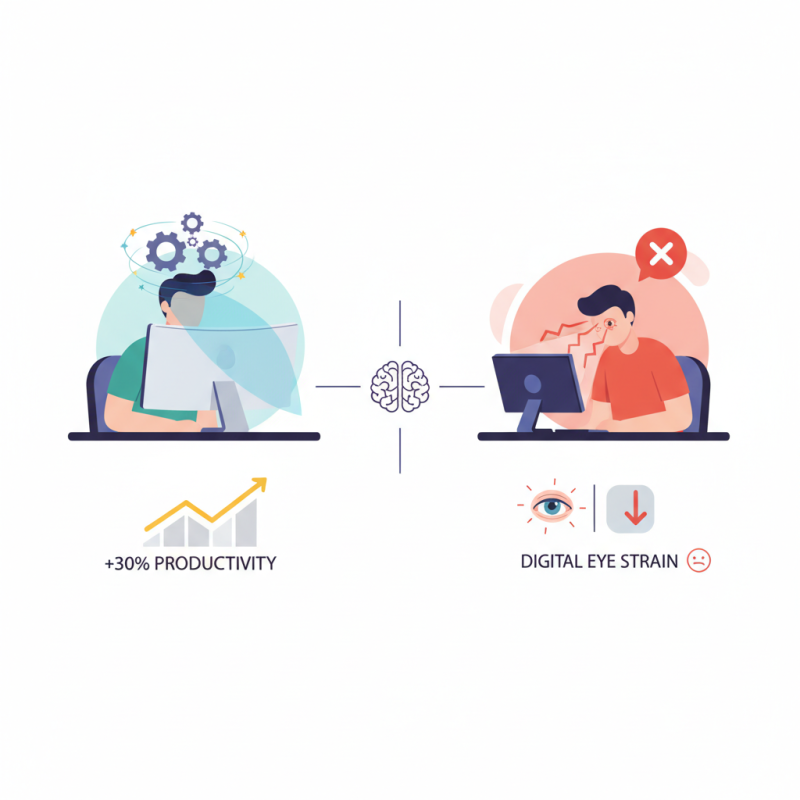
Furthermore, the research conducted by the International Data Corporation emphasizes that employees equipped with ergonomic displays can experience a productivity boost of up to 30%. This productivity leap can be attributed to reduced eye strain and improved posture, which are essential for maintaining long-term health in the workplace. As we continue to navigate a world increasingly reliant on technology, investing in the right PC screen becomes not just a personal choice, but a strategic decision to enhance workplace effectiveness and wellbeing.
Understanding the Impact of Screen Size on Productivity Levels
When it comes to enhancing productivity, the size of your PC screen plays a significant role. According to a study conducted by NPD Group, the optimal screen size for productivity typically falls between 24 to 32 inches. This range not only provides ample workspace but also minimizes eye strain, allowing users to maintain focus for longer periods. Larger screens enable the use of multiple applications simultaneously without the constant need for switching back and forth, effectively decreasing time wastage and improving workflow efficiency.
Research from the University of Utah found that larger displays can lead to a 44% increase in productivity, particularly in tasks that require multitasking or data analysis. The ability to view more information at once reduces the cognitive load on users and enhances their ability to comprehend and process data efficiently. Therefore, selecting a screen size that aligns with your workload can significantly influence your overall performance and comfort, supporting not only tasks that demand precision but also creative endeavors that benefit from expansive visuals.
Impact of Screen Size on Productivity Levels
The Role of Resolution and Clarity in Visual Comfort
When it comes to productivity, the quality of your PC screen can significantly impact both your performance and comfort. A study published by the International Journal of Human-Computer Interaction found that higher screen resolutions are directly correlated with lower eye strain and improved user satisfaction. Specifically, screens with at least 1080p resolution provide clearer images and better text legibility, crucial for tasks that involve extended periods of reading or data analysis. This is particularly important in professional settings where accuracy and clarity are paramount.
Moreover, clarity extends beyond mere resolution; it encompasses factors like screen brightness and color accuracy. Research from the Display Industry Association highlights that well-calibrated displays can reduce the cognitive effort required to process visual information, enhancing focus and reducing fatigue. For instance, screens with higher brightness levels of around 300-400 nits can help prevent glare and ensure a comfortable viewing experience, especially in office environments with variable lighting. Investing in a display that checks these boxes can lead to a significant boost in both productivity and overall well-being for users who spend long hours in front of their computers.
Adjustability and Ergonomics: A Key to Long Working Hours
Adjustability and ergonomics play a pivotal role in enhancing productivity and ensuring comfort during long working hours. A screen that can be easily adjusted to suit individual preferences allows users to maintain an optimal working posture. This capability helps reduce strain on the neck, shoulders, and eyes, which are common issues faced by those who spend extended periods in front of a computer. By positioning the monitor at the right height and angle, individuals can minimize discomfort and fatigue, leading to a more focused and efficient work session.
Moreover, ergonomic designs promote a healthier work environment. Features like tilt, swivel, and height-adjustable stands not only contribute to comfort but also encourage natural movement. This flexibility allows users to alter their positions throughout the day, preventing stiffness and enhancing circulation. Investing time in setting up an adjustable workstation can yield significant long-term benefits, fostering both physical well-being and improved mental clarity. Ultimately, the right PC screen design is essential for anyone seeking to optimize their workspace for sustained productivity and comfort.
Why Choosing the Right PC Screen is Crucial for Your Productivity and Comfort? - Adjustability and Ergonomics: A Key to Long Working Hours
| Feature |
Description |
Impact on Productivity |
Health Benefits |
| Screen Height Adjustability |
Ability to raise or lower the screen to eye level. |
Reduces neck strain and fatigue. |
Promotes better posture and reduces discomfort. |
| Tilt and Swivel Options |
Screen can be tilted and rotated for optimal viewing angle. |
Enhances visibility and reduces glare. |
Minimizes eye strain by allowing adjustments for light conditions. |
| Screen Size |
Measured diagonally, larger screens can display more information. |
Increases multitasking ability by having multiple windows open. |
Reduces the need to squint or strain eyes. |
| Blue Light Filtering |
Technology that reduces blue light emission from the screen. |
Helps reduce fatigue during long working hours. |
Improves sleep quality by reducing disruption of circadian rhythms. |
| Adjustable Brightness |
Ability to change screen brightness based on surroundings. |
Enhances visual comfort and reduces glare. |
Lowers the risk of eye strain, especially in low-light conditions. |
Color Accuracy and Its Importance for Design Work
When it comes to design work, color accuracy plays a pivotal role in ensuring that the final product meets the intended vision. Designers rely heavily on precise color representation to convey ideas effectively and create visually appealing graphics. An inaccurate display can distort color perception, leading to miscalculations in hue and saturation that can compromise the overall design. This is particularly critical in fields such as graphic design, photography, and video production, where the subtleties of color can make or break a project.
Moreover, a screen with poor color accuracy can lead to frustration and decreased productivity. Designers may spend excessive time adjusting and correcting colors, ultimately hindering their workflow. A high-quality display aids not only in achieving desired color outcomes but also enhances the designer's comfort. By minimizing eye strain and ensuring consistent visual output, a screen with superior color fidelity allows for extended periods of productive work without fatigue. As such, selecting the right PC screen transcends mere aesthetics; it is essential for fostering creativity, efficiency, and overall job satisfaction in the design industry.
Reducing Eye Strain: Choosing the Right Screen Technology
Choosing the right screen technology is essential in reducing eye strain, which is a common issue among individuals spending long hours in front of a computer. According to a report by the Vision Council, nearly 70% of adults experience some form of digital eye strain, often resulting in symptoms such as dryness, irritation, and blurred vision. This highlights the importance of selecting a display that minimizes these discomforts, promoting not only better eye health but also enhanced productivity.
When it comes to screen technology, options like OLED and IPS panels provide superior color reproduction and viewing angles, which can decrease the strain on your eyes. These technologies can reduce flicker and emit less blue light compared to traditional LCD screens, which have been shown to contribute to fatigue. Studies indicate that screens with higher refresh rates can also alleviate some of the discomfort associated with prolonged use, making it vital for users to choose displays that match their work environment and usage patterns.
**Tips:** When selecting a monitor, look for features like adjustable brightness and customizable color temperatures that allow you to set your screen to comfortable levels. Additionally, consider incorporating a proper lighting setup in your workspace to reduce glare on the screen and further alleviate eye strain. Taking regular breaks, using the 20-20-20 rule—looking at something 20 feet away for 20 seconds every 20 minutes—can also help keep your eyes refreshed and comfortable during long working hours.