Why Choosing the Right Monitor Screen Can Enhance Your Productivity and Comfort
In today’s fast-paced digital world, the importance of selecting the right monitor screen cannot be overstated. Studies have shown that the productivity of workers can be significantly impacted by their working environment, including the technology they use. According to a report by the International Data Corporation (IDC), a well-designed workspace can increase productivity by up to 20%. One key aspect of this workspace is the monitor screen, which can affect not only efficiency but also overall comfort and wellbeing.
Moreover, research published by the Ergonomics Society indicates that nearly 60% of office workers report discomfort due to improper screen setup or inadequate monitor technology. This discomfort can lead to decreased focus and increased fatigue, which hinders performance over time. Features such as resolution, size, and adjustability of the monitor screen play critical roles in optimizing the viewing experience. A proper choice in monitor screen not only enhances visual clarity but also minimizes strain on the eyes and neck, supporting healthier work habits in the long run. Therefore, understanding the various types of monitor screens available on the market and their specific benefits is essential for enhancing productivity and ensuring comfort in both personal and professional settings.
Understanding the Impact of Monitor Quality on Productivity
How Refresh Rate and Response Time Affect Work Efficiency
Why Choosing the Right Monitor Screen Can Enhance Your Productivity and Comfort
| Monitor Type |
Resolution |
Refresh Rate |
Ergonomic Features |
Impact on Productivity |
| IPS |
2560x1440 |
75Hz |
Height Adjustable, Tilt |
Excellent color accuracy improves design work |
| VA |
1920x1080 |
60Hz |
Pivot, Swivel |
Higher contrast ratios enhance usability for media |
| LED |
3840x2160 |
144Hz |
Curved, Flicker-Free Technology |
Smooth visuals reduce eye strain during long sessions |
| OLED |
2560x1440 |
120Hz |
Adjustable Height, Blue Light Filter |
Vibrant colors boost creativity and focus |
Key Features to Look for in an Ergonomic Monitor
When selecting an ergonomic monitor, one of the most important features to consider is
screen adjustability. Monitors that allow for height, tilt,
and swivel adjustments enable users to position the screen at eye level, reducing neck and back strain during
prolonged use. This flexibility ensures that the monitor can be customized to fit individual needs, promoting a more comfortable work
environment that can enhance focus and productivity.
Another key feature is the screen size and resolution.
Larger screens with higher resolutions allow for more workspace and clearer visuals, making multitasking easier and more efficient.
Additionally, consider monitors with blue light reduction and flicker-free technology,
as these features help minimize eye fatigue, especially for those who spend long hours in front of their screens. By prioritizing
these ergonomic aspects, users can create a more comfortable and productive workspace tailored to their specific needs.
The Role of Screen Size and Resolution in Comfort
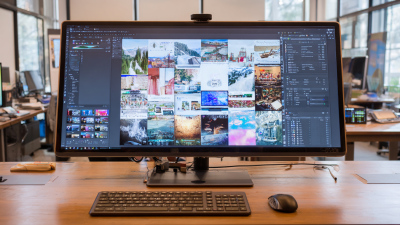
The size of a monitor screen plays a significant role in enhancing productivity and comfort, particularly for those who spend long hours at their desks. A larger screen allows for more screen real estate, enabling users to view multiple applications side by side without constantly switching between windows. This can significantly reduce eye strain and improve workflow efficiency, as users can easily reference documents or perform tasks simultaneously. Furthermore, larger screens often offer better viewing angles, which can enhance comfort during extended use.
Resolution is equally crucial in determining comfort and productivity. Higher resolutions, such as 4K, provide sharper images and clearer text, which can be particularly beneficial for tasks that require high visual detail, such as graphic design or data analysis. A higher pixel density ensures that user interfaces are well-defined, reducing the need to squint or strain the eyes. Additionally, ample screen resolution allows users to comfortably adjust zoom levels without sacrificing clarity. Together, the right screen size and resolution can create an ergonomic workspace that caters to visual comfort and maximizes efficiency.
Choosing Between Different Panel Types for Your Needs
When selecting a monitor, understanding the different panel types is essential to enhancing productivity and comfort. The market offers various options, including TN (Twisted Nematic), IPS (In-Plane Switching), and VA (Vertical Alignment) panels.
TN panels are known for their quick response times, making them ideal for fast-paced gaming and applications requiring rapid movements. However, they typically provide poorer color accuracy and viewing angles compared to their counterparts.
IPS panels are often favored for their superior color reproduction and wide viewing angles, making them a great choice for professionals in graphic design, photo editing, and video production. VA panels strike a balance between the two, delivering decent color quality and better contrast ratios, which can enhance the viewing experience for both work and entertainment. Ultimately, the right panel type depends on individual needs, whether it's for gaming, professional use, or casual browsing, ensuring that the monitor enhances both productivity and user comfort.
How Refresh Rate and Response Time Affect Work Efficiency
When it comes to optimizing work efficiency, the refresh rate and response time of your monitor might not be the first things that come to mind. However, these technical specifications can significantly impact your productivity and comfort. A higher refresh rate, typically 75Hz or more, allows for smoother visuals, making it easier for your eyes to track fast-moving content. This is particularly beneficial for tasks that involve video editing or gaming; smoother motion can reduce strain and enhance focus, ultimately amplifying your efficiency.
Response time is equally crucial, as it measures how quickly a pixel can change from one color to another. A lower response time (ideally 5ms or less) helps minimize motion blur and ghosting, which can be distracting during fast-paced activities. If you often multitask or switch between applications, you'll appreciate how a quick response can lead to a more seamless experience, resulting in a more productive workflow.
**Tips:** To get the best out of your monitor, look for one with a high refresh rate and low response time. Ensure your graphics card can support these rates; otherwise, you won't benefit fully. Additionally, consider anti-glare screens to reduce eye strain during long hours of work, and take regular breaks to maintain focus and productivity.
Impact of Refresh Rate and Response Time on Work Efficiency