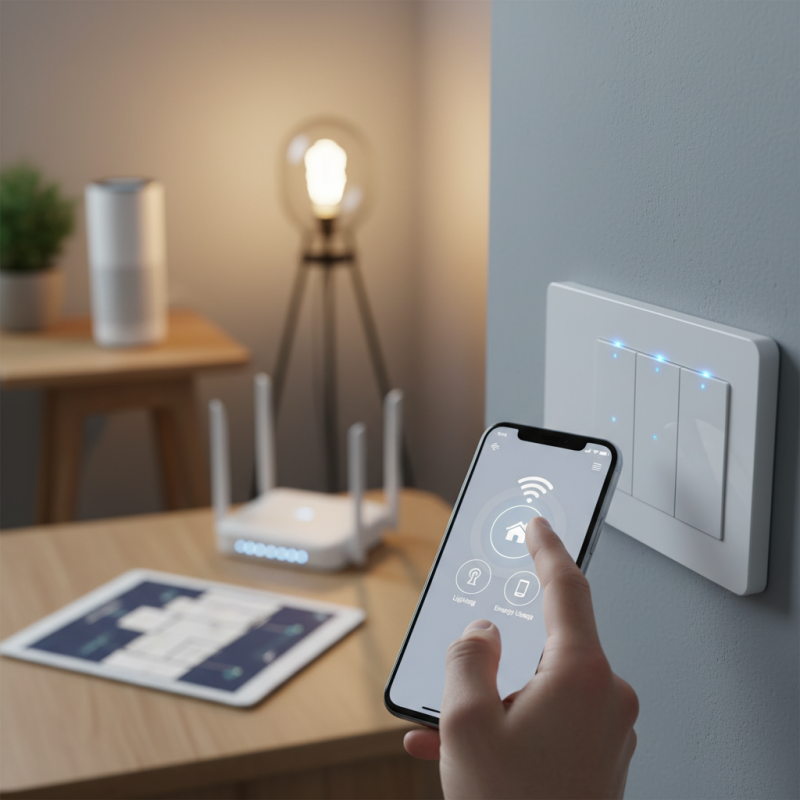
How to Choose the Best Wifi Smart Switch for Your Home?
Choosing the right Wifi Smart Switch for your home can be challenging. With numerous options available, it’s easy to feel overwhelmed. These switches not only offer convenience but also enhance your home’s smart capabilities.
When selecting a Wifi Smart Switch, consider compatibility with your home network. Look for features that suit your needs. Some switches have voice control; others might focus on energy efficiency. It’s essential to match the switch with your lifestyle.
Sometimes, we overlook details that matter. Not every switch is user-friendly. Some may require complex setups. Finding one that simplifies your life should be the goal. Take time to review options and see what works best. This approach can lead to better choices and satisfaction.
Factors to Consider When Selecting a Wifi Smart Switch for Your Home
When selecting a WiFi smart switch, consider compatibility first. Ensure it works seamlessly with your existing home network. Check if it supports the WiFi protocols you use, like 2.4GHz or 5GHz. A mismatch can lead to connectivity issues. Evaluate the setup process as well. Some switches offer a straightforward installation, while others may require technical know-how.
Another critical factor is control options. Some switches allow voice commands, while others rely solely on a mobile app. Think about how you plan to control your lights. If you prefer hands-free operation, look for options that integrate with virtual assistants. Also, assess the switch's design and size. Will it fit your existing wall plate? A bulky switch might not look good in your decor. Make room for aesthetics in your decision.
Don't overlook the brand’s reputation for customer support. Poor support can be frustrating, especially if issues arise. User reviews help gauge performance over time. However, remember that experiences vary. A switch may work perfectly for one user but not for another. Use this knowledge wisely to make an informed choice.
How to Choose the Best Wifi Smart Switch for Your Home? - Factors to Consider When Selecting a Wifi Smart Switch for Your Home
| Feature | Description | Importance |
| Compatibility | Ensure the smart switch is compatible with your home’s setup and other smart devices. | High |
| Control Options | Look for options to control via smartphone app, voice assistants, or manual switches. | Medium |
| Installation Process | Check if the installation requires a neutral wire or can be done easily. | High |
| Features | Consider features like scheduling, timer functions, and energy monitoring. | Medium |
| Security | Ensure the device has robust security features to protect your network. | High |
| Price | Consider your budget and find a switch that offers good value for features. | Medium |
| Brand Reputation | Research the brand’s reputation for reliability and customer service. | Medium |
Understanding Compatibility with Existing Smart Home Ecosystems
When choosing a Wi-Fi smart switch, compatibility is key. Not all switches work with every smart home ecosystem. Before buying, check what system you already have. This step helps maximize your investments.
A few tips to consider: Make sure the switch supports your existing hubs, like Amazon or Google. Look for updates regularly. Sometimes, a switch needs firmware upgrades to work better. Compatibility issues can be hidden. Investigating reviews or forums can save you time and frustration.
Remember, even if a switch seems perfect, it may have drawbacks. Some users report connectivity issues. Test it in different locations to gauge performance. Pay attention to the setup process. If it feels complicated, it might not be the right choice for you. Embrace the learning curve—finding the right fit can take time.
Evaluating Security Features to Protect Your Home Network
When choosing a WiFi smart switch, security features are vital. Many devices can be vulnerable to attacks. Make sure to look for switches that have robust encryption methods. WPA3 encryption offers better security than its predecessors. This helps keep your home network safe from intruders.
Regular firmware updates are also essential. A switch that receives updates is more secure. Check the manufacturer's reputation for timely updates. Some companies fall behind. This can leave your network exposed. Additionally, consider two-factor authentication. This adds an extra layer of security. Even if a password is compromised, your device remains protected.
Look for features like guest networks. This can help separate your smart devices from personal devices. If a guest connects, they won’t access your main network. Regularly review your connected devices. You may find unknown connections. This may indicate potential security risks. Taking such steps not only improves security but also helps you feel secure in your smart home setup.
Assessing User Interfaces and Mobile App Usability for Smart Switches
When selecting a Wifi smart switch, user interface and app usability are crucial. A clean, intuitive design can make or break your experience. Look for apps that allow easy navigation between features. A complicated layout can frustrate users, making it hard to control your lights.
Consider how well the app integrates with your existing smart home setup. Seamless connections can improve your overall usage. Features like voice commands should be easy to find. Even minor delays in response can be irritating. Make sure the app provides clear feedback on your actions.
Testing the app before purchase is beneficial. You might find some switches have limited functionality. It’s essential to assess how easy it is to set schedules and manage multiple devices. Look for reviews highlighting user experiences. They can provide insight into the usability and design flaws that might not be immediately obvious. A good interface can enhance your smart home journey, while a poor one may hinder it.
Analyzing Performance Metrics: Range, Connectivity, and Reliability
When choosing a WiFi smart switch, performance metrics are crucial. Range is the first factor to consider. Range defines how far the device can effectively communicate with your home network. Ideally, it should cover your entire living space. However, many devices struggle in larger homes or those with thick walls. It’s wise to measure the distance from your router to the switch's intended location.
Next, connectivity comes into play. A smart switch needs a stable connection to function efficiently. Look for devices that support both 2.4GHz and 5GHz bands. Some switches may only work on one band, limiting flexibility. It’s not uncommon for users to experience dropouts during peak usage times. Testing the switch in your home can reveal potential connectivity issues before making a commitment.
Reliability is another key aspect to evaluate. A reliable switch should respond promptly to commands. Some models may lag or fail to connect, which can be frustrating. User feedback often highlights these issues, but they can be overlooked in the excitement of new features. A comprehensive understanding of how each device performs in real-world scenarios can help you make a more informed choice.