Why You Should Choose a Large Computer Monitor for Better Productivity
In today’s fast-paced and digitally driven work environment, the tools we choose play a crucial role in our productivity and efficiency. A significant factor that can enhance our work experience is the size of the computer monitor we use. According to Dr. Emily Nguyen, a leading expert in ergonomics and workplace productivity, "Investing in a large computer monitor can drastically improve focus and reduce eye strain, leading to a more productive workday." This statement underscores the importance of a large computer monitor in creating an optimal workspace.
With more screen real estate, a large computer monitor allows users to multitask seamlessly, making it easier to collaborate on projects or analyze data without the constant need to switch between tabs or windows. Moreover, studies have shown that larger displays contribute to a more comfortable viewing experience, minimizing the risks of overexertion and fatigue. Embracing this technology not only enhances productivity but also fosters a healthier work environment.
In conclusion, choosing a large computer monitor is more than just an upgrade; it is an investment in your work habits and overall well-being. As remote and hybrid work models continue to gain traction, prioritizing the right tools becomes essential for success in the modern workplace.
Benefits of a Large Computer Monitor for Enhanced Productivity
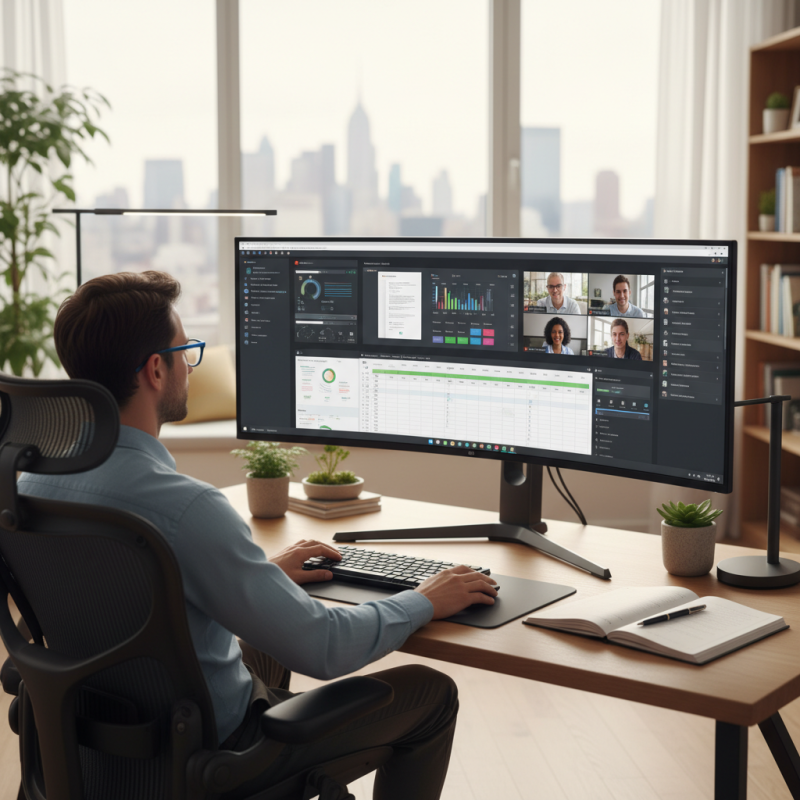
A large computer monitor can significantly enhance productivity by providing a more spacious workspace, allowing for better multitasking capabilities. According to a study by the Nielsen Norman Group, users can experience a productivity increase of up to 44% when working on larger screens compared to smaller ones. This increase is largely attributed to the ability to view multiple applications side by side without the need for constant window switching. With a large monitor, tasks such as data analysis, graphic design, and coding become more streamlined, as users can easily compare visuals and reference materials without interrupting their workflow.
Furthermore, larger monitors can reduce eye strain and improve ergonomics, leading to more comfortable working conditions. The American Optometric Association notes that improper screen sizes and distances can lead to digital eye fatigue, a common issue in today’s tech-driven environments. By utilizing a larger screen, individuals can adjust the monitor's position to maintain a proper viewing distance, which helps alleviate discomfort and promotes longer periods of focused work. With these advantages, investing in a large computer monitor can ultimately lead to enhanced efficiency and a more effective work output.
Comparative Analysis: Large Monitors vs. Standard Monitors
When comparing large monitors to standard monitors, the advantages of larger screens become evident in various aspects of productivity and user experience. One of the most significant benefits is the increased screen real estate. Larger monitors allow users to open multiple applications simultaneously without the need to constantly switch between windows. This is especially beneficial for professionals who work with data, graphics, or coding, as they can view more information at a glance, leading to more efficient workflows and reduced eye strain.
Furthermore, large monitors often come with higher resolutions, which enhances clarity and detail. This feature is crucial for design work, video editing, and multitasking scenarios, where sharp visuals and the ability to see intricate details can make a substantial difference in output quality. Users with large monitors report enhanced focus and lower cognitive load when managing complex tasks, as they can organize their workspace more effectively. In essence, the comparative analysis of large monitors versus standard monitors reveals that the additional space and clarity provided by larger displays significantly contributes to improved productivity and an overall more satisfying user experience.
Productivity Comparison: Large Monitors vs. Standard Monitors
Impact of Screen Size on Multitasking Efficiency
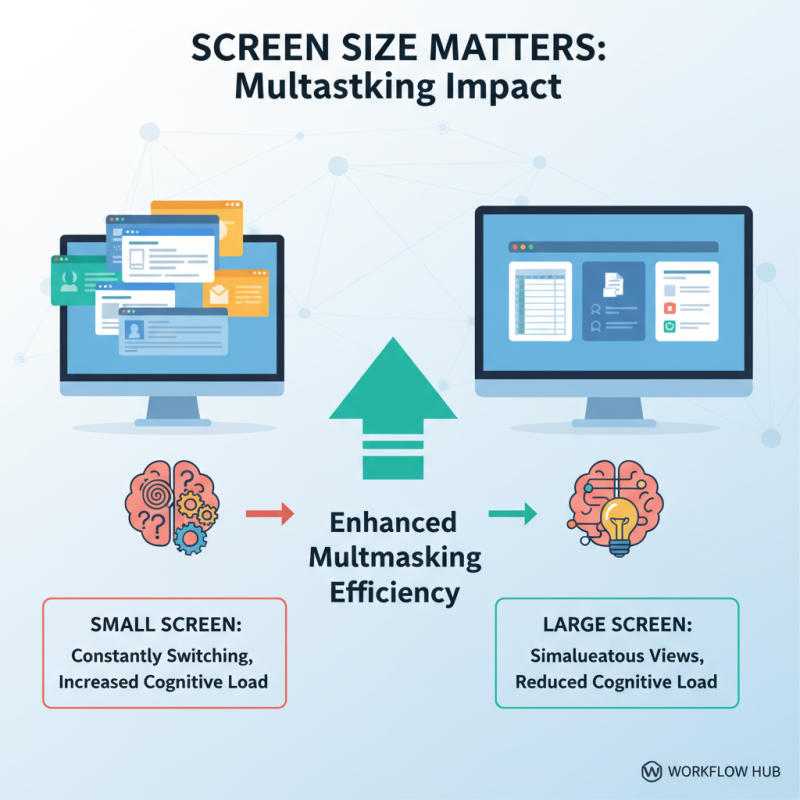
The impact of screen size on multitasking efficiency is profound, particularly in today’s fast-paced work environment. A larger computer monitor provides ample screen real estate, allowing users to open multiple applications side by side without the need for constant window switching. This capability significantly reduces the cognitive load associated with managing numerous tasks, as users can view and interact with multiple data sets, documents, or communication platforms simultaneously. The ability to glance at various sources of information without losing focus on the primary task enhances overall workflow and fosters a more fluid multitasking experience.
Furthermore, a larger display can improve visibility and reduce eye strain, enabling users to work for longer periods without discomfort. Enhanced clarity and size mean that text and images are easier to read and analyze, which can lead to more effective decision-making and quicker problem-solving. As employees adapt to remote work and hybrid models, investing in a large monitor becomes essential for maintaining productivity levels, as it ensures that users can manage their workload efficiently in less time, ultimately resulting in higher output and satisfaction in their roles.
Ergonomics and Comfort: How Large Monitors Improve Work Environment
When it comes to enhancing productivity in the workplace, the ergonomics and comfort provided by large computer monitors play a crucial role. Larger screens allow for a wider field of view, reducing the need to squint or lean closer for better visibility. This can lead to less eye strain and fatigue, making it easier to maintain focus for extended periods. Additionally, with ample screen real estate, users can organize multiple applications and documents side by side, facilitating a more efficient workflow.
**Tips for Optimal Ergonomic Setup:**
1. Position your monitor so the top of the screen is at or just below eye level. This will help keep your neck in a neutral position and reduce discomfort.
2. Maintain an arm’s length distance from the monitor to minimize eye strain. Adjust the brightness and contrast of your screen to suit your working environment for maximum comfort.
3. Take regular breaks to stand up, stretch, and rest your eyes. Implementing a 20-20-20 rule—a break every 20 minutes by looking at something 20 feet away for at least 20 seconds—can help maintain productivity and comfort.
Opting for a larger monitor not only enhances visual comfort but also contributes to a more organized and efficient workspace. By prioritizing ergonomics, you can make your work environment more conducive to productivity and overall well-being.
Why You Should Choose a Large Computer Monitor for Better Productivity - Ergonomics and Comfort: How Large Monitors Improve Work Environment
| Feature |
Benefit |
Impact on Productivity |
User Comfort Level (1-10) |
| Larger Screen Size |
More screen area for multitasking |
Increases efficiency in switching tasks |
9 |
| Higher Resolution |
Sharp images and text clarity |
Reduces eye strain, allowing for longer work sessions |
8 |
| Adjustable Height |
Customizable viewing angle |
Promotes better posture |
10 |
| Wider Aspect Ratio |
Fits more content side by side |
Streamlines workflow, minimizing app switching |
8 |
| Blue Light Filtering |
Reduces blue light exposure |
Enhances sleep quality post work |
7 |
Technological Features in Large Monitors That Boost Productivity
When considering the technological features that large computer monitors offer, one cannot overlook their potential to enhance productivity significantly. For instance, the increased screen real estate provided by larger monitors allows users to multitask more effectively. This means that professionals can have multiple applications or documents open side by side, reducing the need to toggle between windows and thereby streamlining workflow. Tasks that require comparative analysis, such as spreadsheets or design work, become more manageable when data is visible simultaneously.
Moreover, modern large monitors often come equipped with high resolution and advanced color accuracy. These features are especially beneficial for creative professionals who rely on precise visuals for graphic design or video editing. Enhanced color fidelity ensures that what is seen on-screen closely matches the final output, making it easier to achieve desired outcomes without too many revisions.
Additionally, many large monitors support features like picture-in-picture or split-screen functionality, enabling users to keep essential information or communications in view while working on other projects, further improving efficiency. The combination of these technological advancements creates an ideal environment for productivity, allowing individuals to focus on their tasks with less interruption and greater clarity.