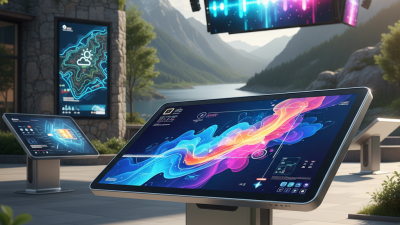
Top 5 Best Touchscreen Monitors for PC in 2023
In recent years, the demand for a touchscreen monitor for PC has surged. According to industry reports, the touchscreen monitor market is expected to grow by over 10% annually. This trend reflects the increasing preference for interactive displays across various sectors. Users appreciate the intuitive experience that these monitors offer, enhancing productivity and engagement.
Choosing the right touchscreen monitor for PC is not as straightforward as it seems. Many options flood the market, each with varying features and specifications. A touchscreen monitor can change the way you interact with your device, yet not all models deliver quality performance. Screen responsiveness, resolution, and connectivity are crucial aspects that need attention.
However, potential buyers may overlook some key factors. Many monitors may not meet user expectations in terms of durability and usability. Evaluating different models can lead to confusion. Understanding the distinct features of each monitor can help ensure you make an informed choice. Addressing these challenges can ultimately enhance your user experience greatly.

Top Criteria for Selecting the Best Touchscreen Monitors in 2023
When selecting the best touchscreen monitors in 2023, several criteria stand out. Resolution is crucial. Higher resolution means clearer images. A good monitor should ideally support at least Full HD. Size also matters; larger screens enhance interaction. However, they require more desk space.
Touch responsiveness is another key factor. Monitors vary in touch sensitivity. A responsive touch experience makes for smoother navigation. Consider the panel technology too. IPS panels generally offer better color accuracy and viewing angles. This is essential for design work or multimedia tasks.
Don’t overlook the design and ergonomics. A monitor should be comfortable to use for long periods. Adjustable stands and VESA mount compatibility play important roles. It’s worth reflecting on personal needs. An expensive monitor may not suit everyone. Finding the right balance can require some trial and error. Evaluating these criteria will lead to better choices.
Comparison of Display Technologies in Touchscreen Monitors: IPS vs. TN vs. VA
When choosing a touchscreen monitor, display technology is crucial.
IPS, TN, and VA each have unique characteristics.
IPS panels offer vibrant colors and wide viewing angles. They are great for graphic design and media consumption.
However, they often come at a higher price point.
TN panels are generally cheaper and have faster response times. This makes them suitable for gaming.
Yet, their color accuracy and viewing angles can be poor. This can disappoint users looking for high-quality visuals.
VA panels sit between IPS and TN. They typically provide deep blacks and good contrast.
However, their response times are not as swift as TN screens. Users may notice ghosting effects during fast-paced activities.
Choosing the right technology requires considering your specific needs and preferences. Each option has benefits and drawbacks that deserve reflection.
Key Performance Metrics: Resolution, Refresh Rate, and Response Times
When selecting a touchscreen monitor for PC usage, resolution plays a critical role. A monitor with higher resolution, typically 1920x1080 pixels or more, can deliver sharper images and better detail. According to industry reports, nearly 78% of users prefer monitors with 4K resolution for design work and gaming. However, higher resolutions often demand more from your graphics card, creating potential compatibility issues.
Refresh rate is another key metric. A refresh rate of 60Hz is standard, but many gamers or designers favor 120Hz and above. This leads to smoother motion and less blurring during fast-paced scenes. Market data indicates that monitors with a refresh rate of 144Hz are gaining popularity, particularly among gamers. However, achieving these rates requires a compatible graphics card, which may not always be available.
Response time is equally essential. Monitors with a response time of 5ms or less are ideal for gaming. Faster response times minimize ghosting or motion blur. Unfortunately, many models still offer higher response times, and consumers must be cautious when choosing. The landscape of touchscreen technology is evolving, but users must weigh these metrics carefully against their needs and available hardware.
Ergonomics and Usability: How Touchscreen Design Impacts User Experience
Touchscreen monitors enhance user experience through better ergonomics. According to recent studies, almost 70% of users prefer touch interaction over traditional methods. This preference highlights the importance of intuitive design. A well-designed touchscreen allows for natural gestures, improving overall usability.
Touchscreen interfaces must be responsive and well-calibrated. Users often express frustration if touch points are too small. It can lead to mistakes and increased time spent on tasks. Ensuring proper size and layout can mitigate these issues. Also, factor in screen brightness. It significantly impacts visibility, especially in varying light conditions.
Tips: Consider the placement of your monitor. A slight tilt or a height adjustment can make a significant difference. Test the sensitivity of the screen before purchase. Not all monitors provide the same level of responsiveness.
Not every touchscreen design succeeds. Some interfaces feel cluttered or disorganized. When elements are too close, the experience can become chaotic. This disparity in design quality calls for more user feedback during the development process. A focus on usability will foster better interaction going forward.
Market Trends and Projections for Touchscreen Monitor Sales in 2023
The touchscreen monitor market is evolving rapidly in 2023. Many consumers are seeking devices that offer interactivity and convenience. Sales have shown a marked increase compared to previous years. This trend reflects a growing preference for technology that enhances user experience. Interactive displays are not just for casual use anymore. Businesses are also embracing these monitors for presentations and data analysis.
Market projections suggest that touchscreen monitors will occupy a larger share of the market. The rise of remote work has driven demand for versatile technology. Users appreciate monitors that can both function as displays and allow tactile interaction. However, not all models meet expectations. Some may lack responsiveness or clarity. These issues can frustrate users and detract from the experience.
Additionally, pricing remains a factor for many consumers. While some devices are affordable, others come at a steep cost. This disparity can limit accessibility. It highlights the need for manufacturers to innovate while maintaining reasonable pricing. As technology advances, the challenge will be to balance quality and cost-effectiveness. Users are eager for improvements but also cautious about spending.